Home/Features/AI Meeting Chat
AI Meeting Chat

AI chat for past meetings — sourced answers

Chat with a single meeting or across your entire workspace. "What did Acme commit to?" — Meetlens returns the answer with quoted source lines and one-click links back to the transcript. Works in any of 99+ languages; no fabricated quotes, no guessed commitments.

Question
What did Acme commit to?
Sourced answer
With citations
No fabrication
Only what was said
99+
Languages
Workspace
Cross-meeting on Free
Sourced
Every answer cited
No fabrication
Answers only from your meetings
the chat

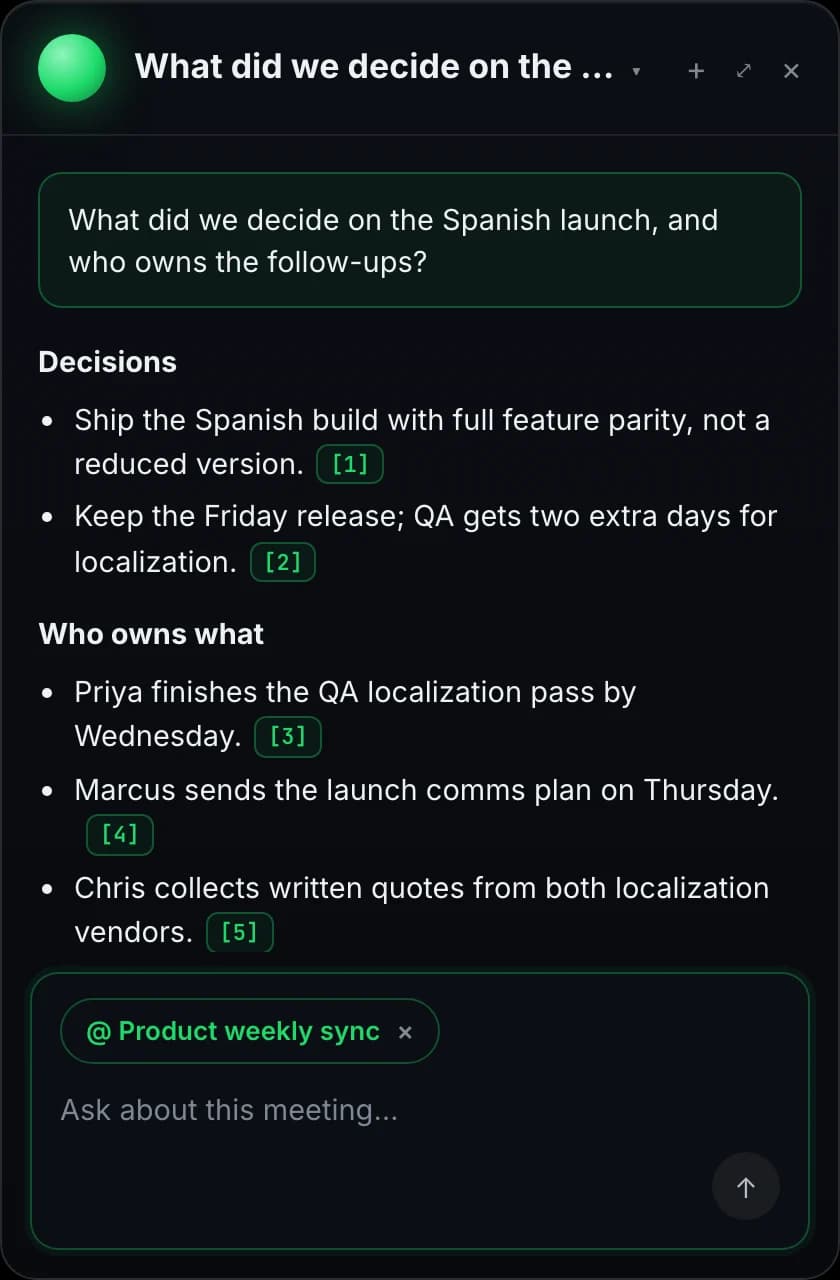
A real question, a sourced answer

Natural-language input. Structured output. Every claim cited back to the meeting and transcript line it came from.

Workspace chat · Sales account: Acme
3 meetings · 4 weeks
Sample
What did Acme commit to in the last call, and who owns the follow-up?
Meetlens

Acme agreed to sign the MSA contingent on SSO support, and committed to a technical evaluation by April 28. Sarah Chen owns the follow-up call to coordinate with Acme's IT lead.

Sources
“We're aligned on price — once we see SSO working in your sandbox, we can sign.” Acme weekly · Apr 22 · 01:14
“Sarah will set up the IT call by end of week.”Acme weekly · Apr 22 · 32:08
Citations link back to the transcript at the exact second.
how it works

Index, ask, cite

Three stages, all automatic. Your meetings become a sourced knowledge base.

1
INDEX

Your meetings, ready to search

Every transcript, decision, and action item is prepared for search inside your workspace the moment a meeting finishes processing. The chat returns answers fast because the work of scanning is already done — you ask once and get a sourced response.

2
ASK

Natural language, not search syntax

Ask the way you'd ask a colleague: "what did Acme push back on?", "who's owning the rollout?", "summarize the technical objections from this week." The chat understands intent — finds the right paragraph even when the literal keyword isn't there, and synthesizes across turns.

3
CITE

Answers with sourced quotes

Every answer cites the meetings and exact transcript lines it drew from. Click a citation, the source opens at the timestamp. If the answer isn't in the recorded material, the chat says so — no fabricated quotes, no hallucinated commitments.

use cases

When asking beats rewatching the call

Four moments where chatting with your meetings replaces 40 minutes of rewatching.

Sales call prep

AE has a follow-up with Acme tomorrow. Two minutes before the call: "summarize every objection Acme raised in the last three calls." The chat returns a paragraph with five citations, all from the past month's transcripts — AE walks in prepared instead of scrolling through their CRM notes.

Project memory across the team

Designer joins the team mid-Q2. "Summarize every decision about the Spanish launch — chronological." The chat assembles a sourced timeline from twelve different meetings she wasn't in. She's onboarded in twenty minutes, not three days.

Executive briefings

VP needs a one-paragraph status on the launch before a board call. "What's the current state of the Spanish launch — owners, blockers, ship date?" Chat returns three sentences, four citations. VP forwards it; everyone's on the same page in six minutes.

Customer-success follow-up

CSM checks in with an account after a renewal call. "Did we promise them anything in the last quarter?" Chat lists every commitment with the meeting it came from. No "I think we said we'd..." — actual sourced answers before a sensitive conversation.

try asking

Questions teams actually ask

Sample prompts from how real teams use meeting chat — no special syntax, no keywords to memorize.

What did the client agree to?Who owns the Q3 launch comms?Summarize the technical objectionsEvery decision about pricing this quarterWhat did Marcus say in the last 1:1?Open action items for María
chat templates

Turn the answer into a deliverable

Same question, structured output — meeting chat also produces the artefact you can ship.

Follow-up email

"Draft a follow-up for Acme covering decisions and next steps." Returns a paste-ready email — recipient inferred from the call, signed off as a draft for review.

Objection list

"Pull every objection Acme raised across the last three calls." Returns a bulleted list with the meeting and timestamp each objection came from.

Exec brief

"Three-sentence status on the Spanish launch — owners, blockers, ship date." Returns a forwardable paragraph with citations the VP can verify.

Project digest

"Summarize every Spanish-launch meeting in chronological order." Returns a dated digest assembled from twelve meetings — useful for onboarding new team members in minutes.

where it pastes

The answer goes anywhere

Copy the response and paste it into Slack, Notion, email, or a follow-up note. No native API integrations today — just clean copy-paste.

SlackNotionEmailConfluenceGoogle DocsChatGPTClaudeLinearHubSpot
specs

Meeting chat by the numbers

What every workspace ships with on Free and up.

99+
Question languages
Ask in any language; answer in the same one
Workspace
Cross-meeting reach
Free plan includes workspace chat
Sourced
Every claim cited
Click to jump to the transcript line
No fabrication
Only what was said
Chat says when the answer is not in the meeting

Try every feature on the free plan

180 minutes per month, all 10 AI report templates, no credit card.

Get started free
faq

Questions, answered

Everything teams ask before switching to Meetlens.

What can I ask the meeting chat?
Anything answerable from the transcript and notes — "what did the client say about pricing?", "who owns the comms plan?", "summarize the technical objections from the back half of the call." The chat draws from the full transcript, decisions, and action items, and returns answers with sourced quotes and timestamps.
Does it work across multiple meetings?
Yes. Scope a question to a single meeting for tight context, or to a workspace-level chat that searches across every meeting you've recorded. "Every time Acme came up in the last quarter" or "all conversations about the Spanish launch" — both return cross-meeting answers with per-meeting citations.
Are the answers sourced?
Yes, every answer cites the meeting and the exact transcript line(s) it drew from. Click the citation and the source meeting opens at the right timestamp. The chat won't fabricate quotes — if the answer isn't in the recorded material, the response says so rather than guessing.
What language does the chat work in?
Ask in any language; the answer comes back in the language you asked in. If you ask in English about a Spanish meeting, the chat searches the Spanish transcript and answers in English, with the original-language source quote attached. Today the chat answer language follows your question; the underlying transcript stays in the meeting's original language (one of 99+ detected).
Is meeting chat available on the free plan?
Yes. Both single-meeting chat and workspace-wide chat (across all your recorded meetings) are available on every plan, including Free. Caps differ by tier: Free gets 10 single-meeting chat queries plus 50 workspace agent queries per month; Lite gets 60 + 200; Pro gets 200 single-meeting queries plus unlimited workspace agent queries. Free is also capped at 180 monthly recording minutes and 30 minutes per recording.
How is this different from Cmd+F on the transcript?
Cmd+F finds literal strings. Chat understands intent: "what was the customer's biggest concern?" returns the right paragraph even when the customer never said the word "concern". It also synthesizes across turns — combining what speaker A said in the intro with speaker B's response 20 minutes later.
Does Meetlens preserve Zoom meeting chat history or Google meeting chat history?
Meetlens captures the spoken audio of the call, not the side-channel chat messages people type in Zoom or Google Meet — those text-chat threads live in the host platform (Zoom's cloud, Google Drive chat log). What Meetlens does preserve is the full meeting transcript, decisions, and action items in your workspace, searchable by quote forever. If you also need the text-chat thread, save it from Zoom / Meet alongside the Meetlens transcript.