Home/Features/Speaker separation
Speaker separation

AI speaker separation — auto-labelled across the meeting

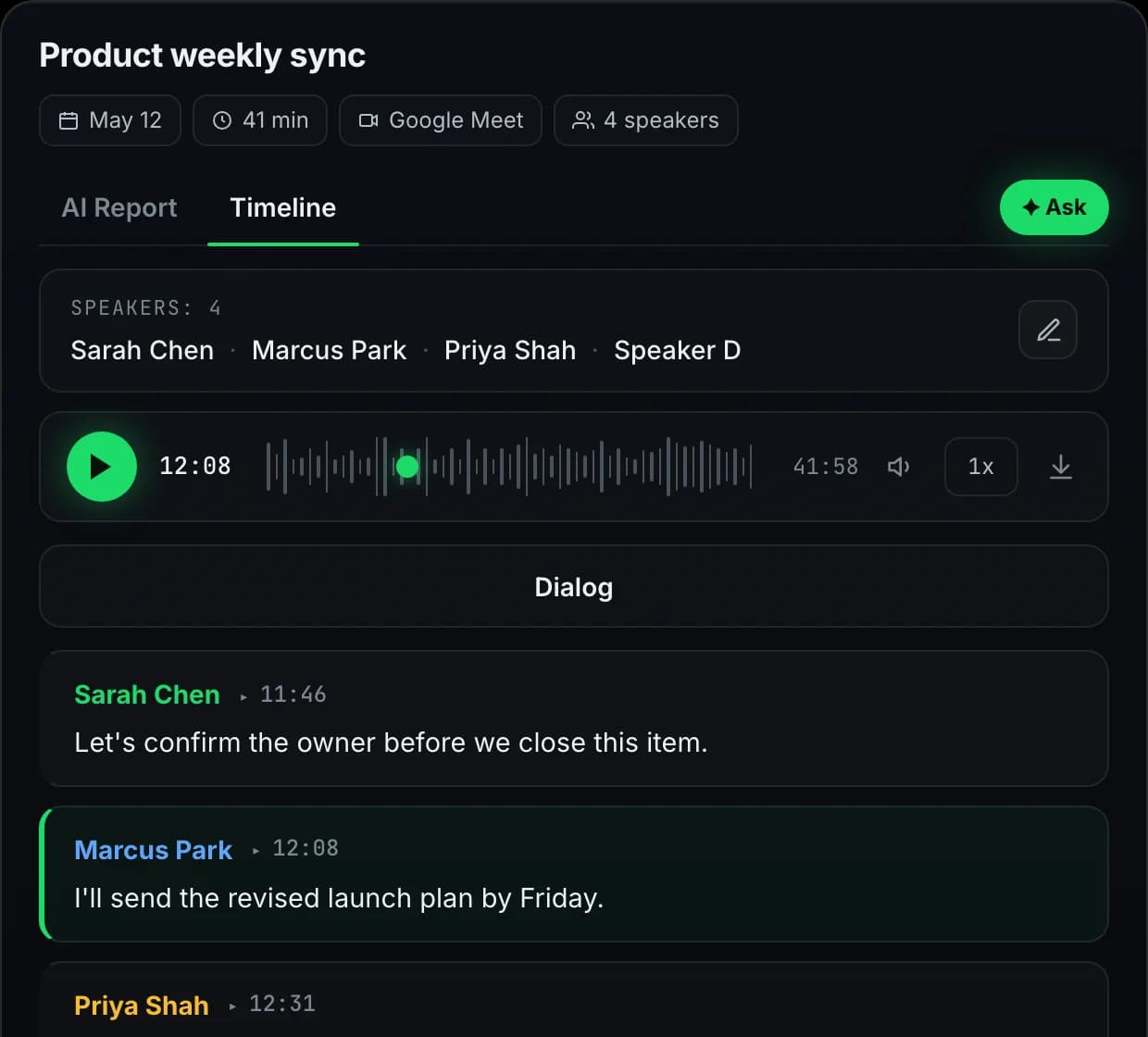
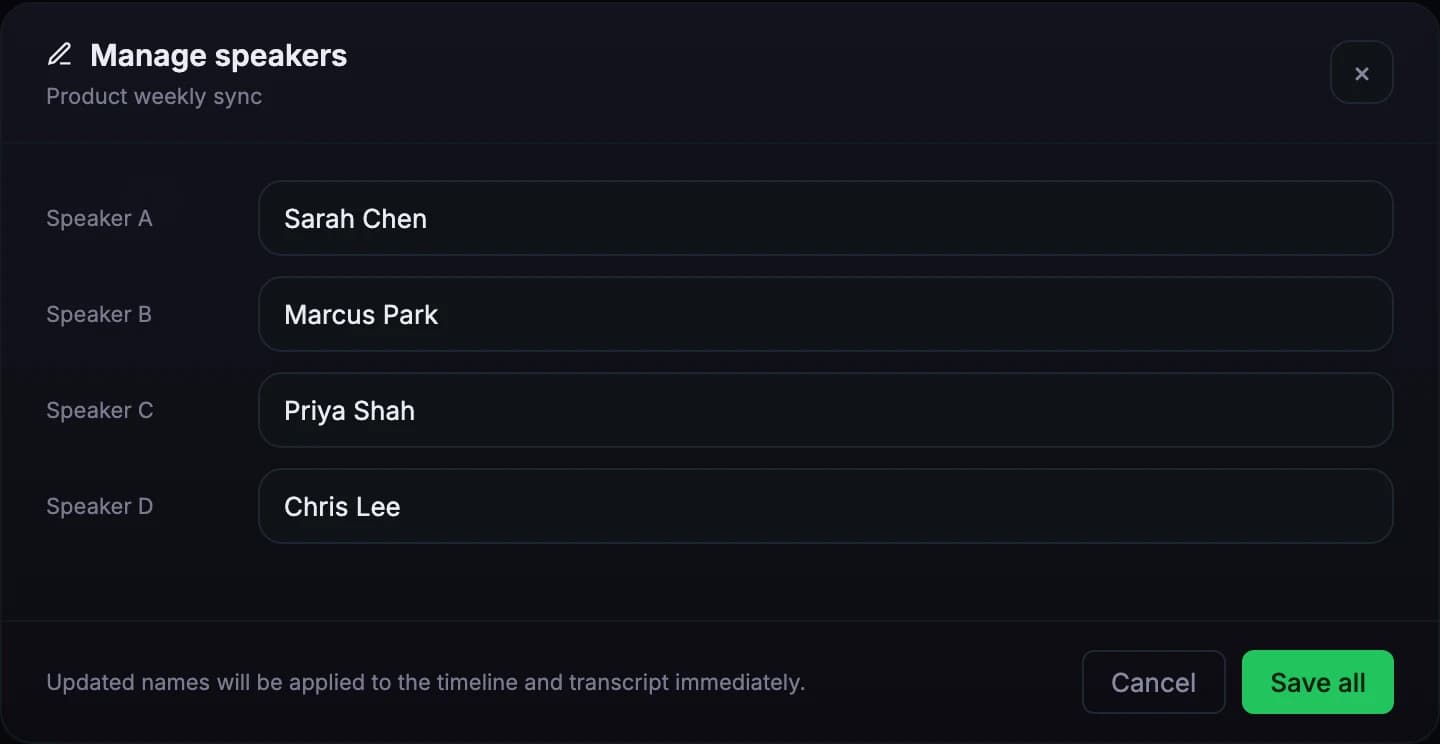
Speaker identification runs automatically — each voice gets a unique speaker tag that propagates across transcript, AI report, and action items. Rename Speaker 1 to "Sarah" once and the change appears everywhere. Voice fingerprinting plus conversational context keeps speakers distinct even when pitch overlaps.

4 voices
Q2 product review
Color-coded
Per-speaker turns
Rename once
Propagates everywhere
No cap
Voices per meeting
Per-call
No cross-meeting profile
1-click
Rename to real name
Free
Every recording
the output

One tap, named everywhere

Speakers detected automatically. Rename once — propagates across transcript, report, action items, and search.

Speakers · Q2 product review
4 voices · 121 turns
Sample
SC
Speaker 1Sarah Chen47 turns
Click any speaker label to rename — the change propagates across the transcript, AI report, action items, and search.
MP
Speaker 2Marcus Park38 turns
Click any speaker label to rename — the change propagates across the transcript, AI report, action items, and search.
PS
Speaker 3Priya Shah24 turns
Click any speaker label to rename — the change propagates across the transcript, AI report, action items, and search.
DR
Speaker 4Diego Ruiz12 turns
Click any speaker label to rename — the change propagates across the transcript, AI report, action items, and search.
One rename propagates across transcript, AI report, action items, and search.
how it works

From raw audio to named speakers

Three stages, all automatic. Fingerprint, cluster, relabel.

1
FINGERPRINT

Builds a voice signature

Meetlens analyzes each voice in the recording to capture pitch, timbre, and cadence. The analysis is computed per-meeting only, so there's no enrollment step and no cross-meeting voice profile.

2
CLUSTER

Distinguishes overlapping voices

Voice fingerprints plus conversational context (who interrupts whom, turn-taking rhythm) cluster the audio into distinct speakers. Attribution stays confident even when two participants have similar pitch — the rare case business calls produce.

3
RELABEL

Rename once, propagates everywhere

Speaker 1 / Speaker 2 are placeholders. Click any label in the transcript, type the real name, and Meetlens rewrites it across the transcript, AI report, action items, and search results. Quotes and tasks line up with real people on your team.

use cases

When does speaker separation matter?

Where mixing up who said what costs real time — or a deal.

User-research interviews

Solo-with-participant calls where every quote needs attribution. Meetlens keeps interviewer and participant distinct so the research write-up cites the participant verbatim — no "and then he said" ambiguity when reviewing a recording two weeks later.

Sales discovery with multi-stakeholder rooms

Procurement, technical buyer, end-user all on the same call. Speaker separation tags each commitment to the right contact, so the CRM activity log says "Procurement asked about MSA, IT raised SSO, end-user pushed for the workflow integration" — not just "prospect said".

Panels, all-hands, customer councils

5+ voices, sometimes 10. Meetlens clusters them all without a hard speaker cap; you do one round of relabels at the end (one click per speaker) and the whole transcript, report, and action-item attribution snaps to real names.

Uploaded recordings & podcasts

Drag an mp3 or m4a into Meetlens — same speaker-separation quality as live calls. Podcast hosts, interview round-tables, conference recordings — anywhere a multi-voice file needs to become a speaker-attributed transcript with no manual cleanup.

platforms

Every major platform

Audio captured from the meeting tab — same speaker separation across every host.

Google Meet speaker separation

Speaker separation on Google Meet calls — Workspace and personal accounts. Color-coded turns and per-speaker labels propagate to the AI report and action items.

Zoom speaker separation

Live Zoom calls and Zoom Cloud uploads both run through the same speaker separation. Each voice gets a unique label across the transcript and downstream artefacts.

Microsoft Teams speaker separation

Teams meetings, 1:1 calls, channel meetings — speaker separation works on all of them with no tenant admin install required.

Webex & Telemost speaker separation

Webex and Yandex Telemost are first-class hosts. Same voice fingerprinting, same one-click rename, same downstream propagation.

specs

Speaker separation by the numbers

The defaults Meetlens applies to every recording — free or paid.

No cap
Voices per meeting
5, 10, panels all welcome
Per-call
No enrollment
Voice profile lives in the meeting, not across them
Color-coded
Turns & labels
Visual scan-ability across long transcripts
Free
On every recording
No tier gate, no add-on charge

Try every feature on the free plan

180 minutes per month, all 10 AI report templates, no credit card.

Get started free
faq

Questions, answered

Everything teams ask before switching to Meetlens.

How accurate is speaker separation?
Accuracy is high on typical business calls — distinct voices, decent audio quality, 2–6 speakers. Meetlens uses voice fingerprinting combined with conversational context, so even when two speakers have similar pitch they rarely get confused across a meeting. Background noise and heavy overlap (people talking simultaneously) are the main accuracy edge cases.
Does it work for 5+ speakers?
Yes. Meetlens handles meetings with many speakers — team standups, all-hands, customer-discovery group calls. There's no hard cap on participant count, and the system clusters voices regardless of how many people join. Larger groups occasionally need a single relabel pass at the end (one click each), especially if multiple new voices joined mid-meeting.
Can I rename detected speakers?
Yes. After the meeting, each speaker shows up as Speaker 1 / Speaker 2 / etc. by default. Click any speaker label in the transcript or report to assign a real name; the rename propagates everywhere — transcript, AI report, action items, search results — so quotes and tasks line up with real people on your team.
Does it require speaker enrollment or voice samples?
No. Meetlens does not store voice prints between meetings and never asks participants to enroll. Each meeting is processed fresh from its own audio, so privacy stays simple and there's no setup step. The trade-off: Meetlens won't automatically recognize the same person across separate meetings — you assign their name once per call.
Is speaker separation included on the free plan?
Yes. Speaker separation runs on every meeting on Free, Lite, and Pro — same quality across plans. Free is capped at 180 minutes and 30 minutes per recording; Lite and Pro raise those limits.