Home/Features/Export
Export

Export transcripts & reports — Markdown, TXT, PDF

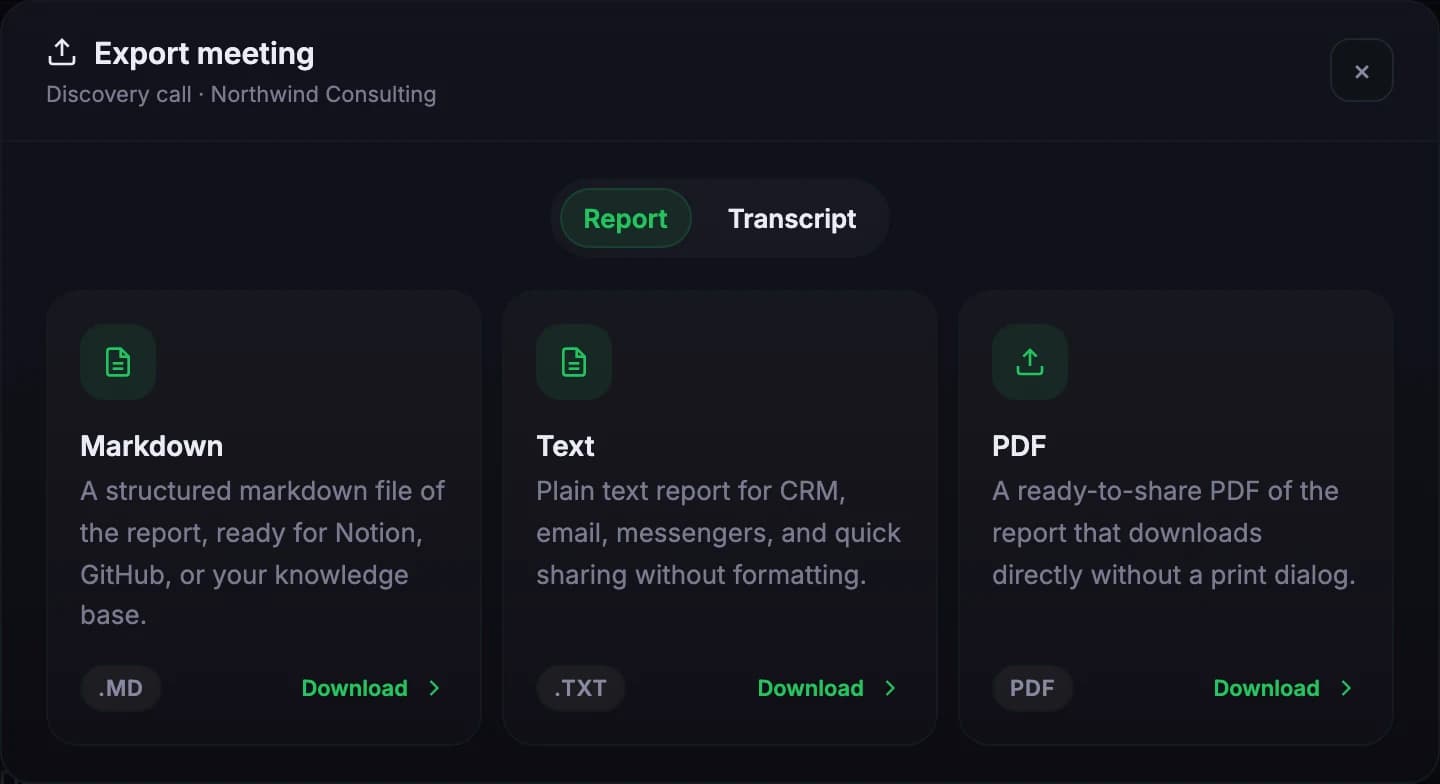
Export transcripts, AI reports, and action items as Markdown, TXT, or PDF. Speaker labels, timestamps, and source-quote attribution preserved across formats. Paste into Linear, Asana, Jira, Notion, Confluence, Google Docs, CRM activity logs, or a follow-up email. Structure intact, no manual cleanup.

.md
Markdown · Notion ready
.txt
Plain text · CRM safe
.pdf
Archive ready
3 formats
Markdown · TXT · PDF
Preserved
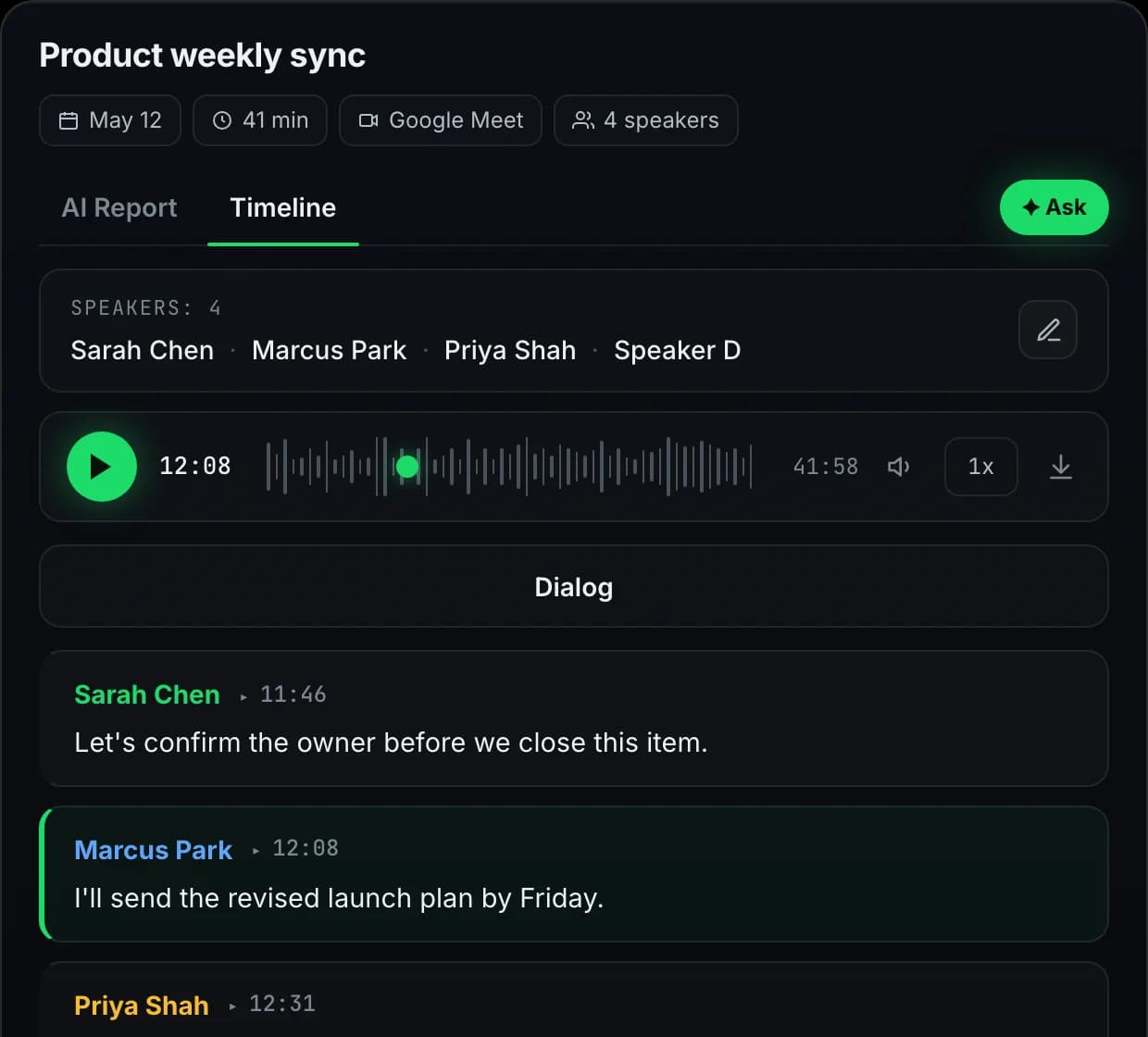
Speakers, timestamps, quotes
Lite/Pro
Downloads & exports
Roadmap
DOCX, native push
formats

Four formats, one structure

Markdown, TXT, and PDF live today; DOCX on the way. Whichever you pick, headings stay headings and lists stay lists.

Export options
3 formats live · DOCX on roadmap
Sample
MD
MarkdownAvailable
Linear, Asana, Notion, Jira, Confluence
TXT
Plain textAvailable
Email, Slack, any text field
PDF
PDFAvailable
Direct download, archive-ready, no print dialog
DOCX
DOCXRoadmap
Word, Google Docs imports
All exports preserve speaker labels, timestamps, and source quotes.
how it works

Pick, export, paste

Three steps. No format wrestling, no structure loss.

1
PICK

Section by section, or all at once

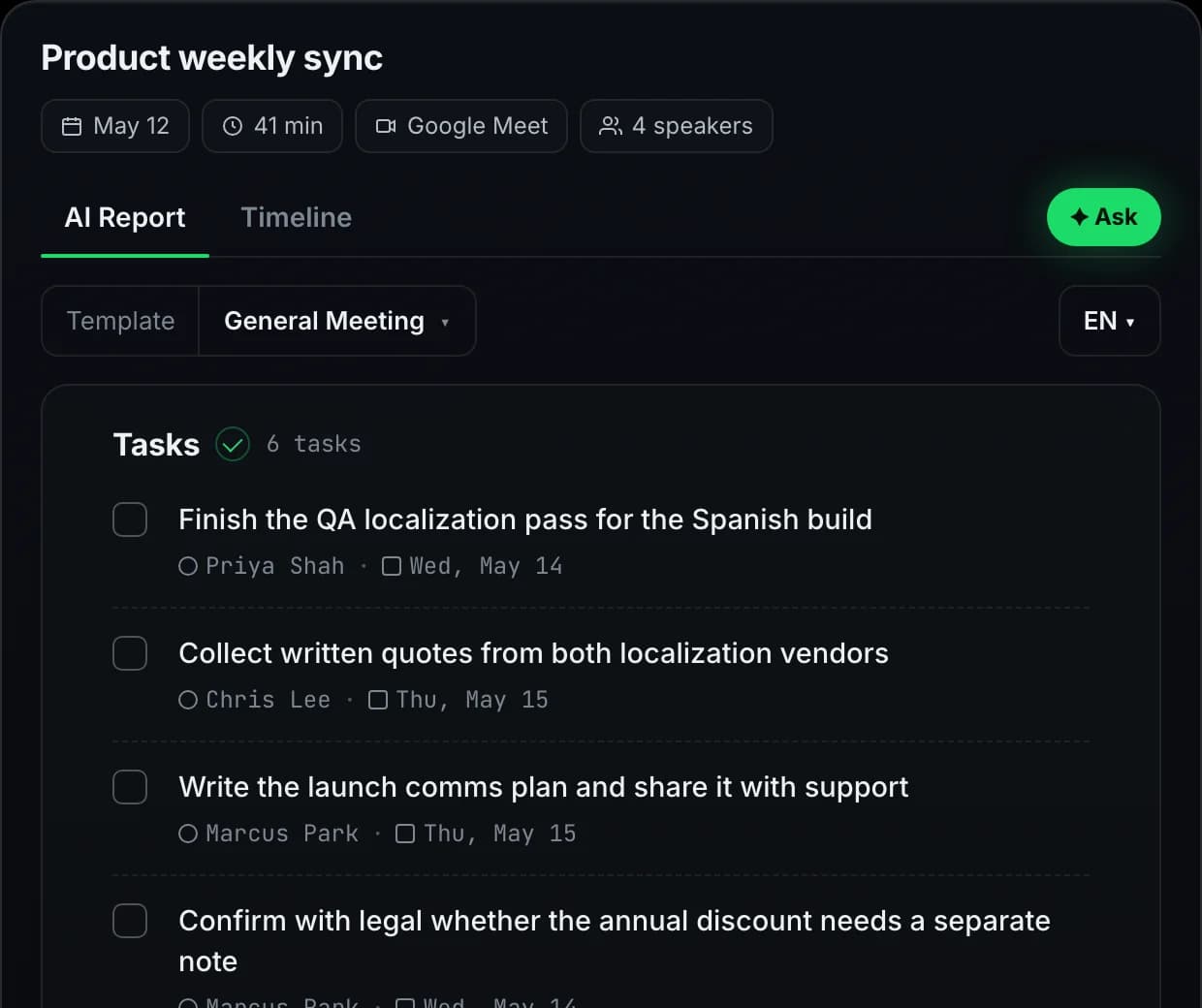
Each block of the workspace — transcript, AI report, action items, decisions — has its own export menu. Grab just the action items for the tracker, or bundle everything into one document for the project archive. Timeline supports filtered exports for retros and QBRs.

2
EXPORT

Markdown today, more formats coming

One click produces a clean Markdown or TXT file — speaker labels, timestamps, and source-quote attribution preserved. The structure imports cleanly into Linear, Asana, Jira, Notion, Confluence, Google Docs, and follow-up emails without manual rework.

3
PASTE

Lands where your tools expect it

Markdown drops into modern trackers and wikis natively. TXT pastes into anything — CRM activity logs, Slack threads, email summaries. The structure survives the paste: headings stay headings, lists stay lists, quotes stay quoted.

use cases

What can I export from a Meetlens meeting?

Four teams turning Meetlens output into tracker rows, CRM notes, wiki pages, and synthesis docs.

Tracker imports for engineering

Action items export as a Markdown list with owner and deadline preserved. Paste into Linear: each line becomes a ticket, owner becomes assignee, deadline parses as the due date. PRDs export as one document — Confluence imports the headings and lists faithfully.

CRM activity logs for sales

Export the Sales Call report as TXT. Paste into the prospect's activity log: qualification status, objections, next step. Account record stays current without anyone hand-typing notes after every call.

Wiki archives for project history

End of a quarter, the project doc needs a chronological record of every decision. Export Timeline (filtered to the project) as Markdown, paste into Notion / Confluence — every entry sourced back to its meeting, every decision in date order.

Research synthesis & quote-pulls

Researchers export transcripts of every participant interview as Markdown — speaker labels, timestamps intact. Drop into Dovetail / Notion / a synthesis tool; quotes are ready to tag and theme without the manual transcribe-and-clean pass.

paste destinations

Where Markdown, TXT, and PDF exports land cleanly

Paste Markdown or TXT into any of these tools and the structure (headings, lists, quotes) survives. There are no native API integrations today — the Markdown export is the universal route. Native one-click push is on the roadmap.

Trackers

Action items paste as ticket lists

LinearAsanaJiraClickUpTrello

Wikis & docs

Reports paste with headings preserved

NotionConfluenceGoogle DocsCodaObsidian

CRM

Sales reports → account activity log

HubSpotSalesforcePipedriveAttioClose

Messaging

Send a sourced summary to a channel

SlackMicrosoft TeamsDiscord

Email

Follow-up sends with structure intact

GmailOutlookSuperhuman

Research synthesis

Verbatim transcripts ready to tag

DovetailNotionAirtable
specs

Export by the numbers

What every Lite and Pro account ships with today.

3
Live formats
Markdown, TXT, PDF
Preserved
Across formats
Speaker labels, timestamps, source quotes
Lite/Pro
Download & export
Free includes the workspace, paid adds export
Roadmap
DOCX & native push
One-click integrations on the way

Try every feature on the free plan

180 minutes per month, all 10 AI report templates, no credit card.

Get started free
faq

Questions, answered

Everything teams ask before switching to Meetlens.

What can I export from Meetlens?
Transcripts, AI reports, action items, and decisions. Each piece can be exported separately or as one bundled document. Speaker labels, timestamps, and source-quote attribution are preserved across all export formats so the structure stays usable in any downstream tool.
Which file formats are supported?
Three formats today on Lite and Pro: Markdown (.md), plain text (.txt), and PDF (.pdf). Markdown pastes cleanly into Linear, Asana, Jira, Notion, Confluence, Google Docs. TXT works anywhere text does. PDF gives you a direct archive-ready download without a print dialog. DOCX export is on the roadmap; for now, opening the Markdown file in Word or Google Docs renders identically.
Can I export a single section instead of the whole meeting?
Yes. Each section of the workspace — transcript, AI report, action items — has its own export menu, so you can grab just the action items for a tracker or just the transcript for an interview synthesis without copy-paste cleanup.
Does export work with non-English meetings?
Yes. Exports match the language of the source content. Transcripts in 99+ detected languages export in their original language. AI reports export in whichever output language was selected (English, Russian, Spanish, or German). Speaker labels and timestamps are language-agnostic, so structure stays intact regardless.
Are there direct integrations with CRM or task trackers?
Native one-click push to Linear, Asana, Jira, HubSpot, Salesforce, and Notion is on the roadmap. Today, the Markdown / TXT / PDF export is one extra paste; the format is structured so tracker import works without manual rework. Tell us which integration matters most for your team; that feedback shapes the build order.
Is export available on the free plan?
Copying transcripts and reports as plain text from the workspace is available on every plan. File export (Markdown, TXT, PDF downloads) is on Lite and Pro. Free is also capped at 180 monthly minutes and 30 minutes per recording. Lite and Pro raise both limits.