AI meeting timeline — jump to decisions and actions
Every meaningful moment of a recorded meeting on one clickable strip. Decisions, action items, blockers, context, all stamped with a second-precise timestamp. Tap any moment and the audio jumps right there. No scrubbing, no rewatching, no guessing at minute 23 or minute 32.
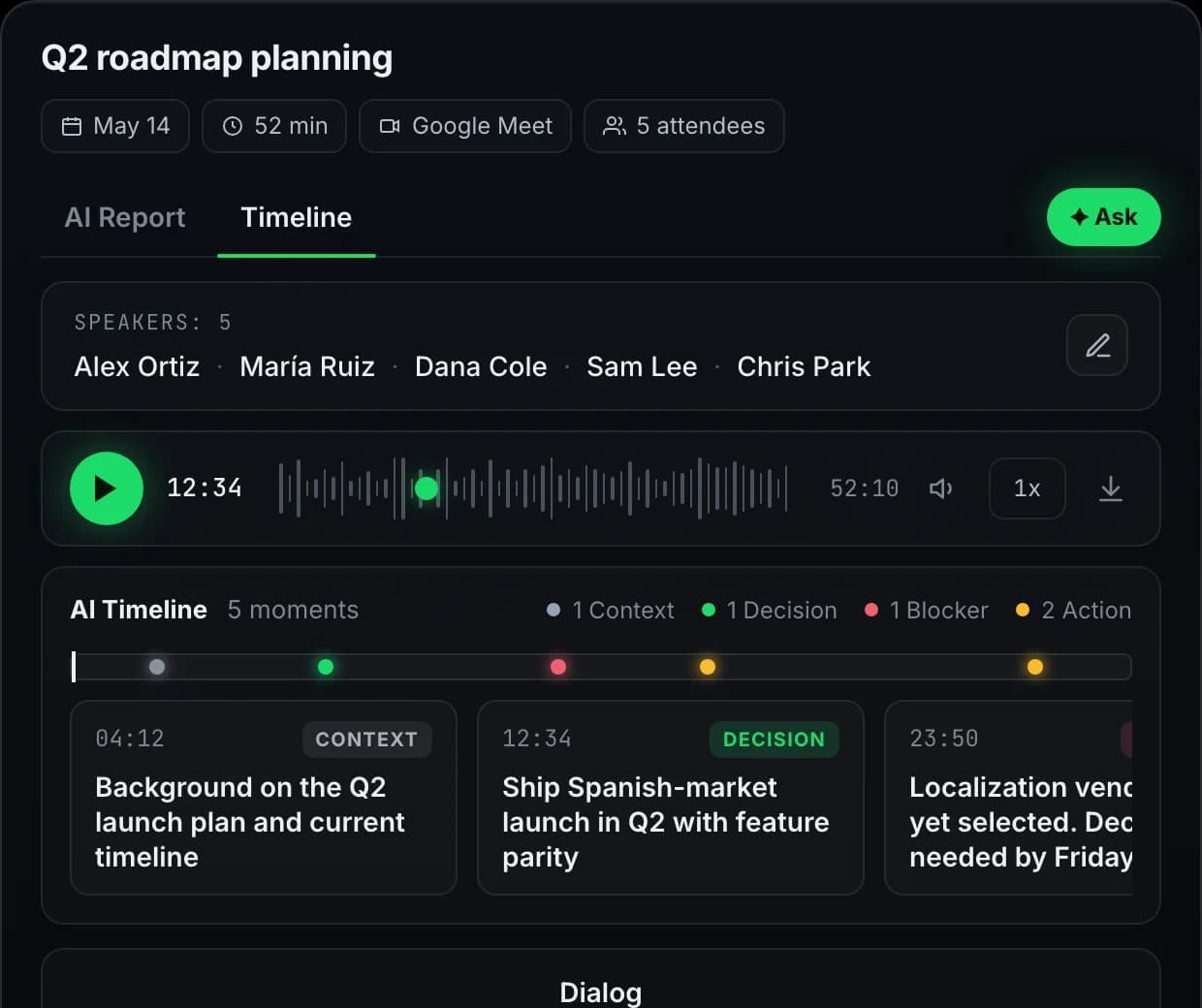
One recording, five moments
A slice of the timeline inside a single 52-minute meeting. Four moment types, color-coded. Each timestamp is a clickable jump into the audio.
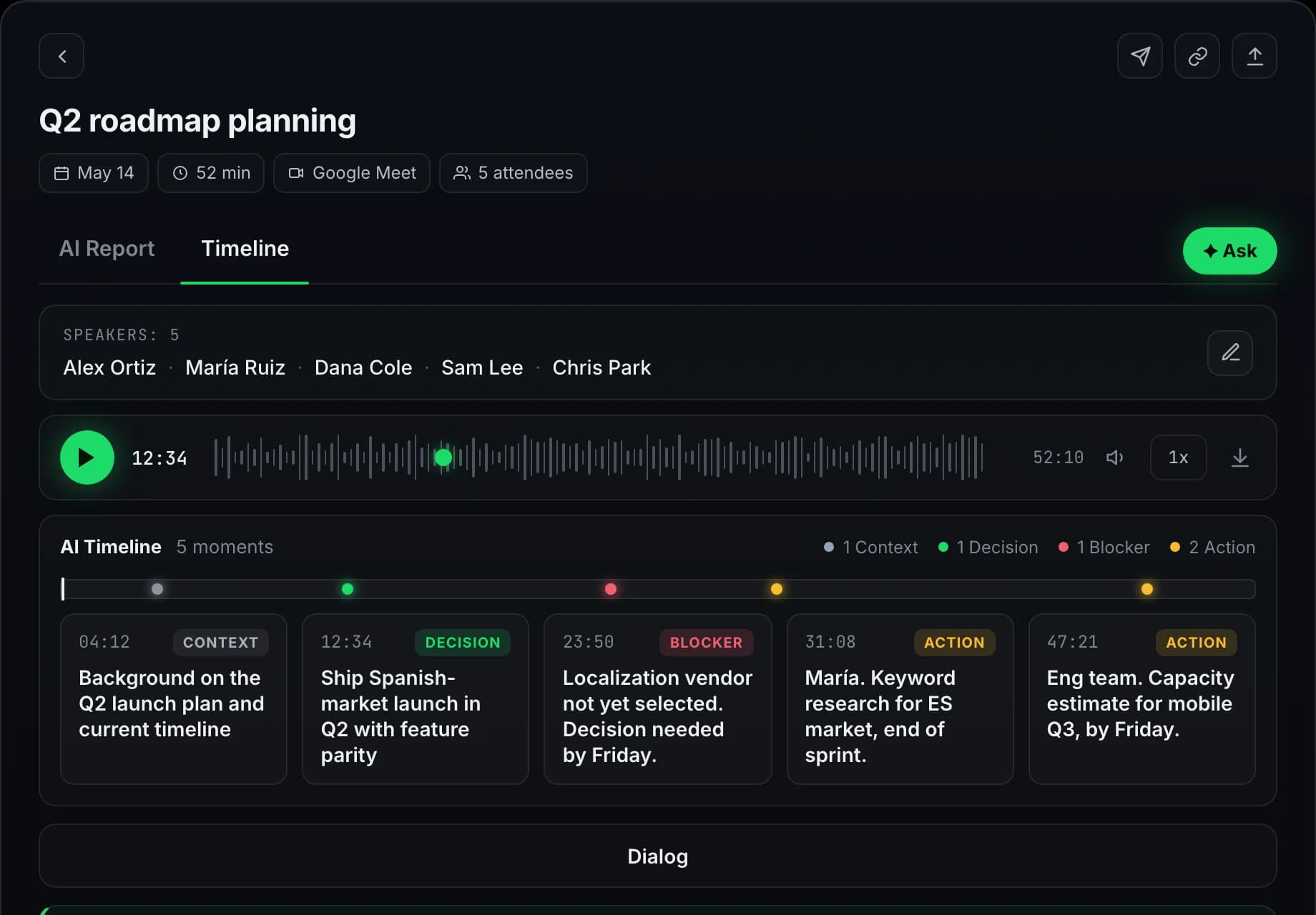
Extract, visualize, jump
The timeline is generated after recording and transcription finish. Use it to navigate in time; use meeting chat for a question or the action item list to review follow-ups.
Typed moments pulled from the transcript
When a recording finishes, Meetlens scans the transcript and pulls four kinds of moments. Decisions, action items, blockers, and context. Each one is tied to the exact second of the recording where it was said. No manual marking. No "add to timeline" button.
One strip, color-coded by type
All moments render on a single chronological strip across the meeting duration. Decisions are green. Actions are amber. Blockers are red. Context is grey. The shape of the call is visible at a glance, before you click anything.
Click a moment, audio seeks there
Tap any timeline entry and the recording jumps to that second. No scrubbing through a 45-minute call to find the part where a decision was made. The transcript scrolls alongside the playback so you keep your bearings.
When the timeline actually helps
Four moments where one click on a marker beats scrubbing through 45 minutes of audio.
Catch up on a meeting you missed
Skip the 45-minute replay. Scan the timeline, see every decision and action item with a timestamp, click the ones that matter. You're up to speed in five minutes instead of an hour.
Find the moment something was decided
"Wait, when did we agree to that?" Click the decision marker, the recording jumps to the exact second, you hear the back-and-forth in context. No more scrubbing the timeline guessing at minute 23 or minute 32.
Hand off the relevant part
Don't paste a full transcript into Slack. Open the timeline, find the moment, and pass on the decision with its timestamp so the context stays checkable. On Business, the shared library lets a teammate open that moment themselves.
Filter by type when you only need the actions
Just want the action items? Hide context and blockers, leave only the green and amber dots. The timeline becomes a checklist with one-click playback. Great for the day after a workshop or all-hands.
Four kinds of moments, color-coded
Pulled from the transcript, not manually tagged. Toggle any type on or off to filter the timeline strip to just what you need.
Decision
Action item
Blocker
Context
Free to start. Private by default.
The timeline is generated for every recording, on Free as well. It is not a paid add-on and not a separate purchase.
Try every feature on the free plan
180 minutes per month, all 10 AI report templates, no credit card.
Get started freeQuestions, answered
Everything teams ask before switching to Meetlens.