Process a recording
Upload a supported media file. Meetlens checks the recording against your plan, transcribes its speech, and creates the selected AI report.
MEDIA→TRANSCRIPT→AI REPORT
Upload an existing audio or video recording to Meetlens, choose its title and AI report format, then review the processed meeting in one workspace. You can also import a prepared TXT transcript without uploading media.
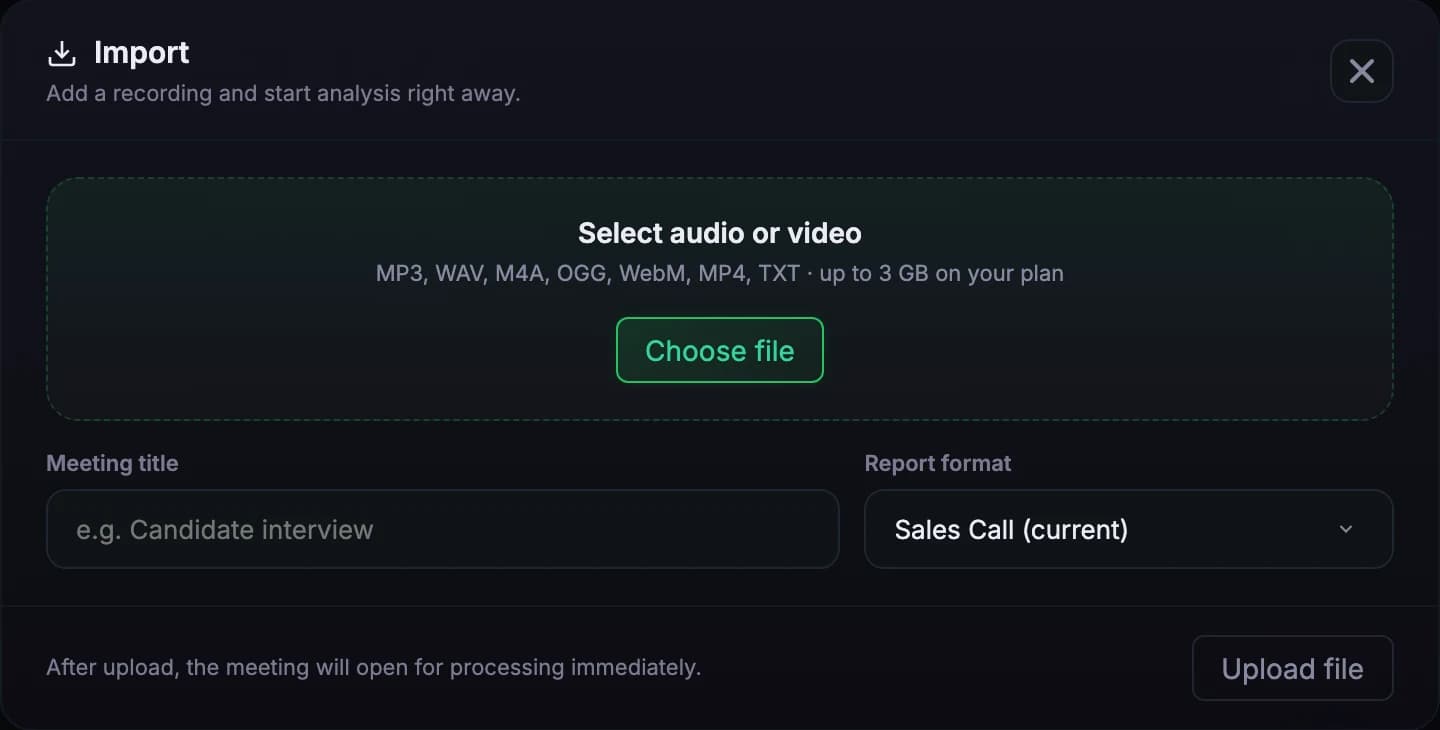
The selected file determines what Meetlens needs to do next. Check recording and processing limits before uploading. For an upcoming browser call, use the meeting recorder instead.
Upload a supported media file. Meetlens checks the recording against your plan, transcribes its speech, and creates the selected AI report.
Import a plain-text transcript when the recording has already been transcribed. Meetlens creates the meeting record without processing an audio track.
A TXT file is a separate transcript-import path. It is not treated as an audio or video recording.
The current Meetlens import form asks only for the inputs needed to begin processing.
Select an MP3, WAV, M4A, OGG, WebM, MP4, or TXT file from your device.
The meeting title defaults to the filename if left blank. Choose the report format that matches the conversation.
Media upload and processing time depend on file size, recording length, connection speed, and service load. TXT imports follow their own text-only path.
Review the meeting transcript, check speaker labels, and verify the generated AI report against the source.
These are the extensions currently accepted by the Meetlens upload flow.
AUDIO
AUDIO
AUDIO
AUDIO
AUDIO / VIDEO
VIDEO
Imported media uses the same monthly processing-minute allowance shown for the account.
The imported recording becomes part of the Meetlens meeting workflow.
Use the timestamped transcript and available speaker labels to return to the recorded discussion.
Meeting transcription →Generate a structured AI report using the report format chosen before upload, then verify important details.
View available reports →Imported media can use the same multilingual transcription workflow available for recorded meetings.
Multilingual transcription →When the meeting is ready, export the report or transcript in the formats available in Meetlens.
Meeting export →Recording and consent requirements differ by location and context. Confirm that participants were informed when required and that you have the right to upload, process, and share the material.
Confirm the recording was collected lawfully.
02AccessShare the resulting meeting only with the intended people.
03ReviewCheck names, figures, decisions, and commitments before reuse.
Choose a supported file, select a report format, and review the result in Meetlens.
Get started freeFormats, limits, processing, transcripts, and access.