Free AI transcription software for meetings — 99+ languages
Meetlens is free AI transcription software that turns recorded meetings into searchable text with speaker labels and timestamps. Start the AI meeting recorder from the Chrome extension for Zoom, Google Meet, Microsoft Teams, or Webex — no meeting bot joins the call. Every account includes 180 free transcription minutes per month.
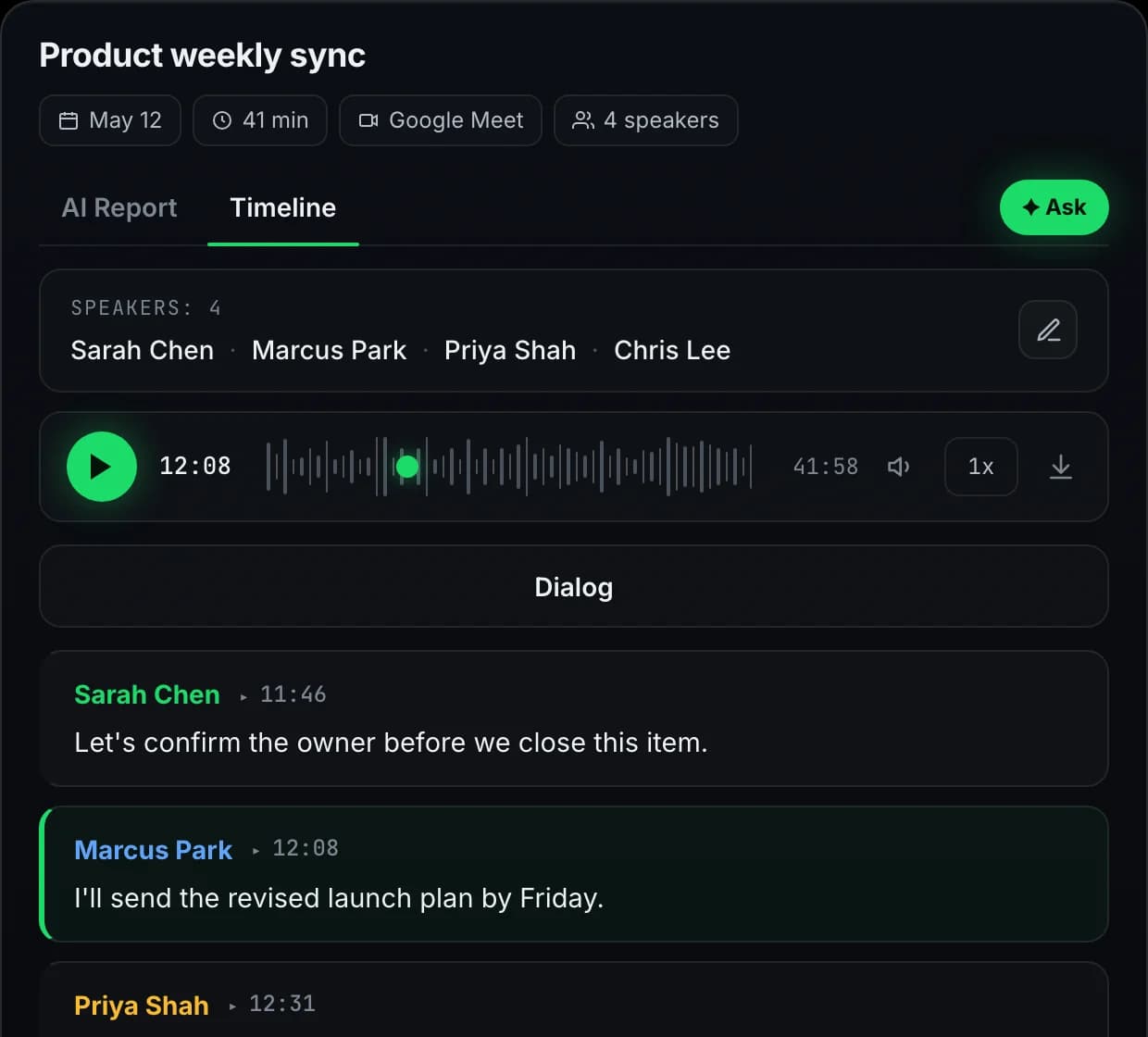
See a speaker-labelled meeting transcript
Speaker labels, timestamps, and searchable text make important moments easier to find and review.
How Meetlens AI transcription software works
Start the recording yourself, end it when the conversation is finished, and let Meetlens process the transcript in the background.
Start recording from the Chrome extension
Open the meeting tab, click the Meetlens extension, and start recording. Meetlens captures the tab audio without adding a bot participant. You remain responsible for informing participants and obtaining consent where required.
Audio to text after the call ends
After you end the recording, Meetlens processes the audio in the background. Multilingual transcription covers 99+ languages, while speaker separation organizes different voices into distinct transcript turns.
Speaker-labelled, timestamped transcript
The finished transcript appears in your workspace with speaker labels and timestamps. Correct the text, rename speakers, search for a quote, or use the transcript to generate AI meeting notes and action items. Paid plans can export transcripts to Markdown, TXT, or PDF.
Meeting transcription for work that depends on details
Review what was said without replaying the entire recording or relying on incomplete handwritten notes.
Interview transcription & research synthesis
Review customer interviews and research calls as searchable text. Speaker labels and timestamps help researchers trace a quotation back to the right participant and moment in the conversation.
Recruiting & hiring interviews
Return to candidate answers, interviewer questions, and agreed follow-ups without relying on memory. Review critical details against the recording before making or documenting a decision.
Sales calls
Revisit customer needs, objections, pricing questions, and commitments from the transcript. Pair it with meeting report formats for a structured post-call view.
Customer support & success
Search support calls for the customer's exact description of a problem, review the troubleshooting sequence, and carry unresolved questions into the next follow-up.
Which platforms work with Meetlens transcription?
Use the Chrome extension to capture audio from supported browser meeting tabs. Meetlens does not add a bot attendee to the participant list.
Zoom transcription
Start Meetlens while your Zoom meeting is open in a browser tab, or upload an existing supported Zoom recording for post-call transcription.
Google Meet transcription
Start recording from the extension while a Google Meet call is open in the active Chrome tab. The transcript is processed after the recording ends.
Microsoft Teams transcription
Capture supported Microsoft Teams meetings running in the browser and review the speaker-labelled transcript in your Meetlens workspace afterwards.
Webex transcription
Record supported Webex calls from the browser tab and process them with the same post-call transcription workflow.
Transcribe uploaded audio and video recordings
Use recording import to convert MP3, M4A, WAV, OGG, WebM, or MP4 files into speaker-labelled text. Uploaded recordings use the same monthly transcription allowance as meetings recorded with the extension.
mp3
m4a
wav
ogg
webm
mp4
Turn a meeting transcript into the next step
The transcript remains the source: Meetlens uses it to produce structured outputs while keeping timestamps available for review.
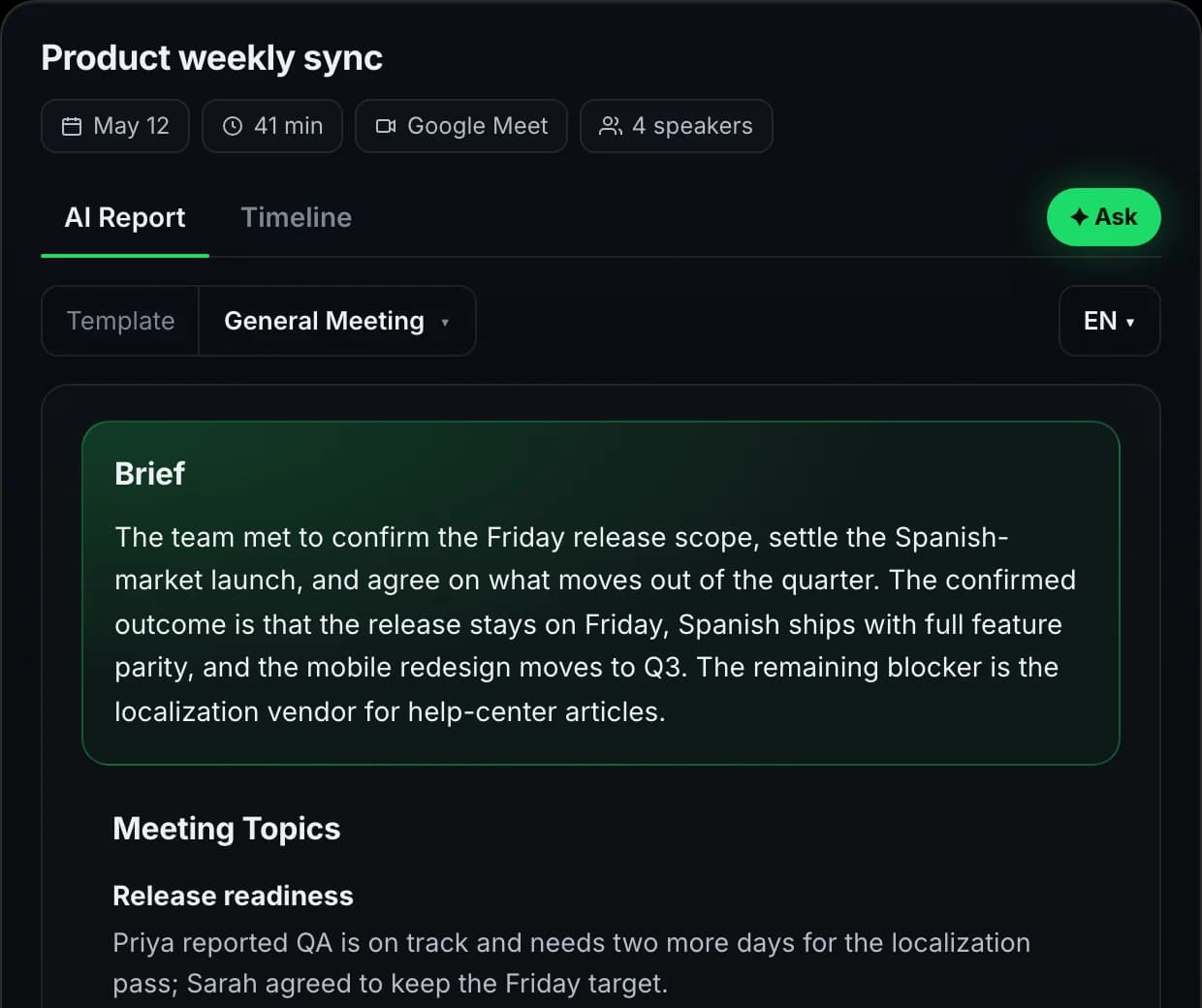
AI note taker for meetings
Condense the conversation into readable notes without losing the original transcript underneath.
Structured report formats
Choose a report format for sales, interviews, standups, and other workflows.
Accuracy, privacy, and recording consent
AI transcription is useful working material, but important records still need human review and responsible recording practices.
Human-reviewed by design
The transcript is working material: keep the speed of AI while a person stays responsible for the final record.
What affects transcription accuracy?
Clear microphones and limited background noise produce better results. Review names, figures, technical terms, and important quotations.
Who is responsible for recording consent?
The person starting the recording must inform participants and obtain consent where required.
How is meeting data processed?
Read the current Privacy Policy for storage, processing, deletion rights, and subprocessor information.
Is this a certified legal transcript?
No. Meetlens creates an AI-generated working transcript, not a certified or professional record.
Meetlens transcription by the numbers
Looking for free transcription software for meetings? Start with 180 processing minutes per month and recordings up to 60 minutes on Free. This is a limited monthly allowance, not unlimited transcription. Compare Meetlens plans for longer recordings and file export.
Try every feature on the free plan
180 minutes per month, all 10 AI report templates, no credit card.
Get started freeQuestions, answered
Everything teams ask before switching to Meetlens.